


AEO keyword research turns the language buyers use into a prioritized map of questions your business can answer with evidence. Keyword volume can help, but it does not tell you whether a question changes a purchase decision or whether your team has a credible answer.
The goal is not to invent hundreds of conversational variations. It is to identify the distinct decisions a buyer must make, understand their constraints, and connect each decision to the right source page.
A prioritized map is also the most useful brief you can give anyone who helps with execution. If you plan to work with a managed AEO service such as AEOFAST, the finished map becomes the service brief: add the brand, market, verified facts, and excluded claims. A clear question list is more useful than asking any supplier to “make us visible everywhere.”
Start with decisions, then collect wording
Write down the audience and the job they are trying to accomplish. “Small agency evaluating client-reporting software” is more actionable than “people interested in reporting.”
Collect candidate questions from sales conversations, anonymized support themes, site search, existing search-query reports, onboarding objections, and customer interviews. Each source captures a different stage. Sales calls can overrepresent late-stage buyers; support tickets can overrepresent existing customers; a keyword tool can miss highly specific constraints.
Keep the original wording beside your cleaned-up question. That protects important details such as “without an annual contract” or “works for three locations.” Remove personal information before sharing the research document with writers or suppliers.
Free first-party sources most teams overlook
Paid keyword tools estimate demand from panels and clickstream data. Your own accounts often hold better evidence of the exact questions buyers bring to you, and most of it is free.
| Source | What to pull | Detail worth knowing |
|---|---|---|
| Search Console Performance report | Queries containing question words, and long conversational queries | The query filter accepts regular expressions in RE2 syntax, with partial and case-insensitive matching by default |
| Search Console Generative AI performance report | Pages that earn impressions in AI Overviews and AI Mode | It groups data by page, country, date, and device; it has no query dimension, so it shows where you appear, not for which questions |
| Bing Webmaster Tools AI Performance | Grounding queries attached to your citations | Microsoft describes these as the phrases its AI used to retrieve content, which reveals how it breaks a topic into sub-questions |
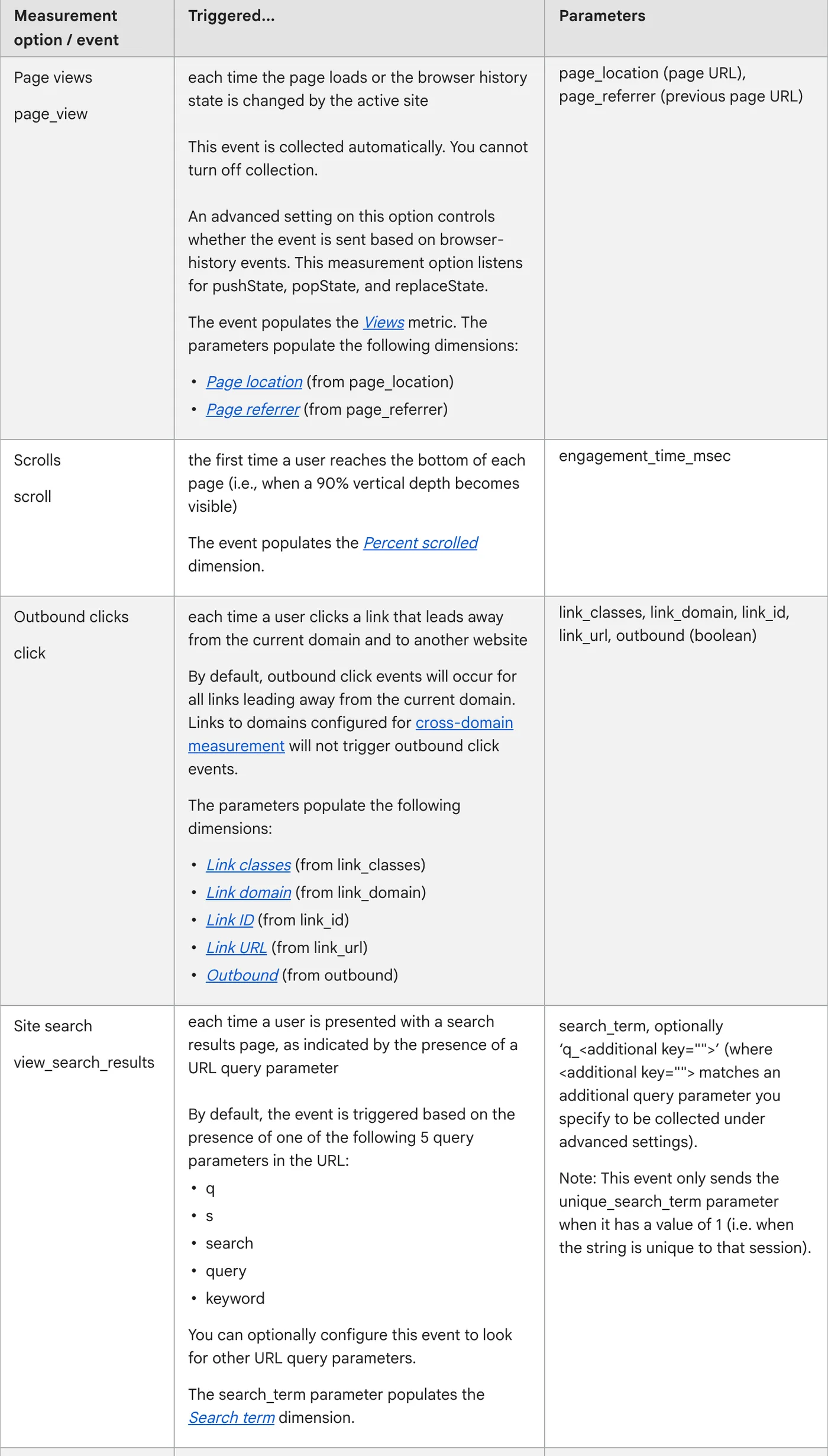
| Google Analytics 4 site search | The search_term values from your own search box |
Enhanced measurement detects the q, s, search, query, and keyword URL parameters by default, and WordPress search uses ?s= |
| Forums, reviews, and video comments | Unprompted wording, objections, and comparisons | Google notes that its generative features can show what is said in blogs, videos, and forum discussions |
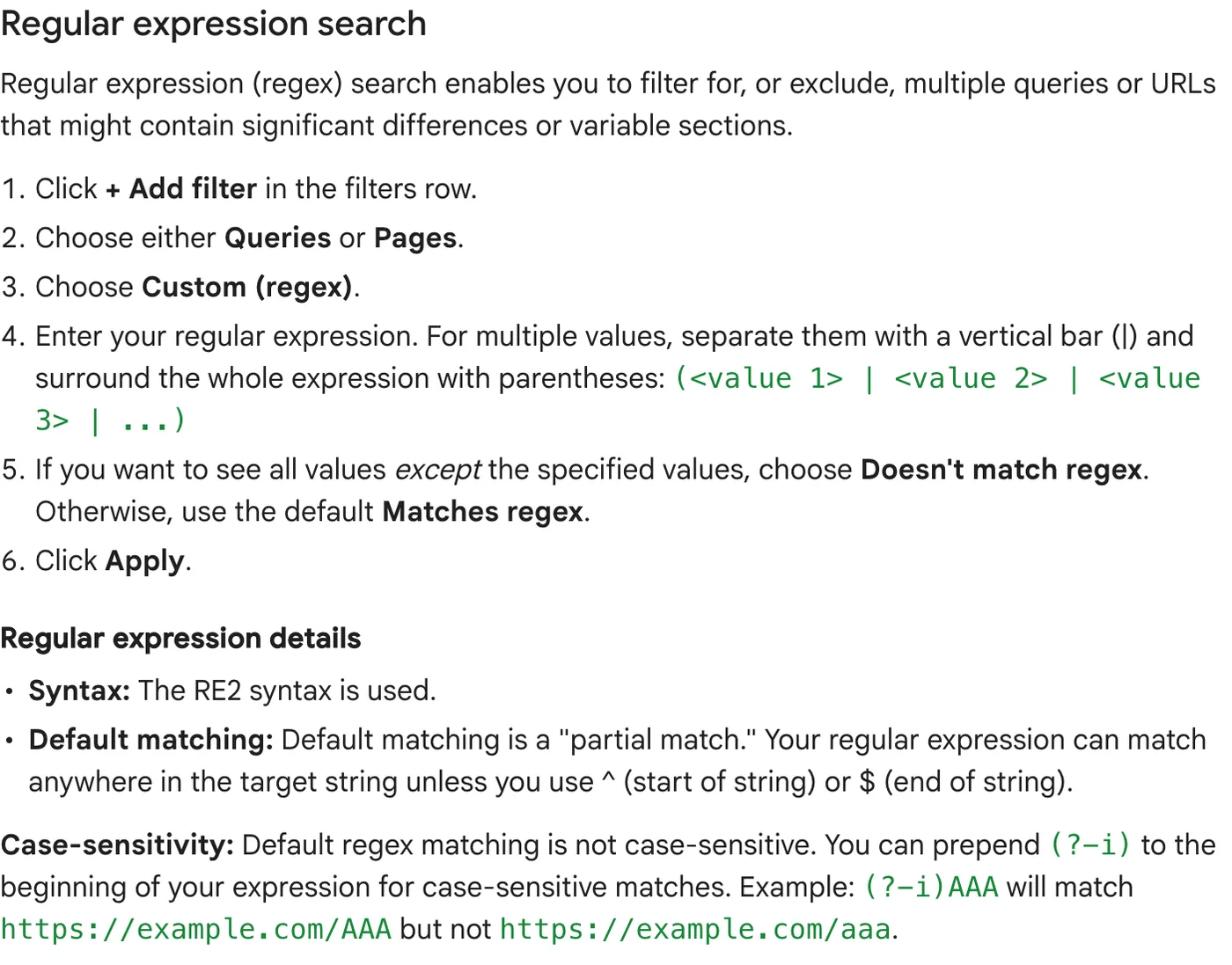
Two Search Console filters are a fast start. The first finds question-shaped queries; the second finds queries of eight or more words, which tend to be conversational and specific:
^(who|what|why|how|when|where|which|can|does|do|is|are|should)\b
^(\S+\s+){7,}\S+$
Paste either into a query filter after choosing “Custom (regex)”. Google’s advanced filtering documentation explains the syntax and the “doesn’t match” option, which is useful for excluding branded queries.
Know the limits of the export. Search Console omits anonymized queries from the table to protect privacy, and it stores only the most important rows. If you need the fullest list, Google points to its bulk data export rather than the interface. The branded and non-branded query filter is also helpful, but Google notes that it covers data only from 11 March 2025 and is not available for sub-properties or low-traffic sites.
Site search is the most underrated source on this list. Every term typed into your own search box is a question your navigation failed to answer. If you register search_term as a custom dimension, Google Analytics 4 enhanced measurement lets you explore those terms alongside the page where the search started.
Bing’s grounding queries deserve a separate column in your research sheet. They are not what users typed, and Microsoft describes the data as a sample, but they show the sub-questions an AI system searched for when it chose your page as a source. Gaps between those phrases and your page’s headings are often the most specific briefs you will find.

SEOPressor’s search-intent checklist is a useful starting point for separating the words used in a search from the task behind them.
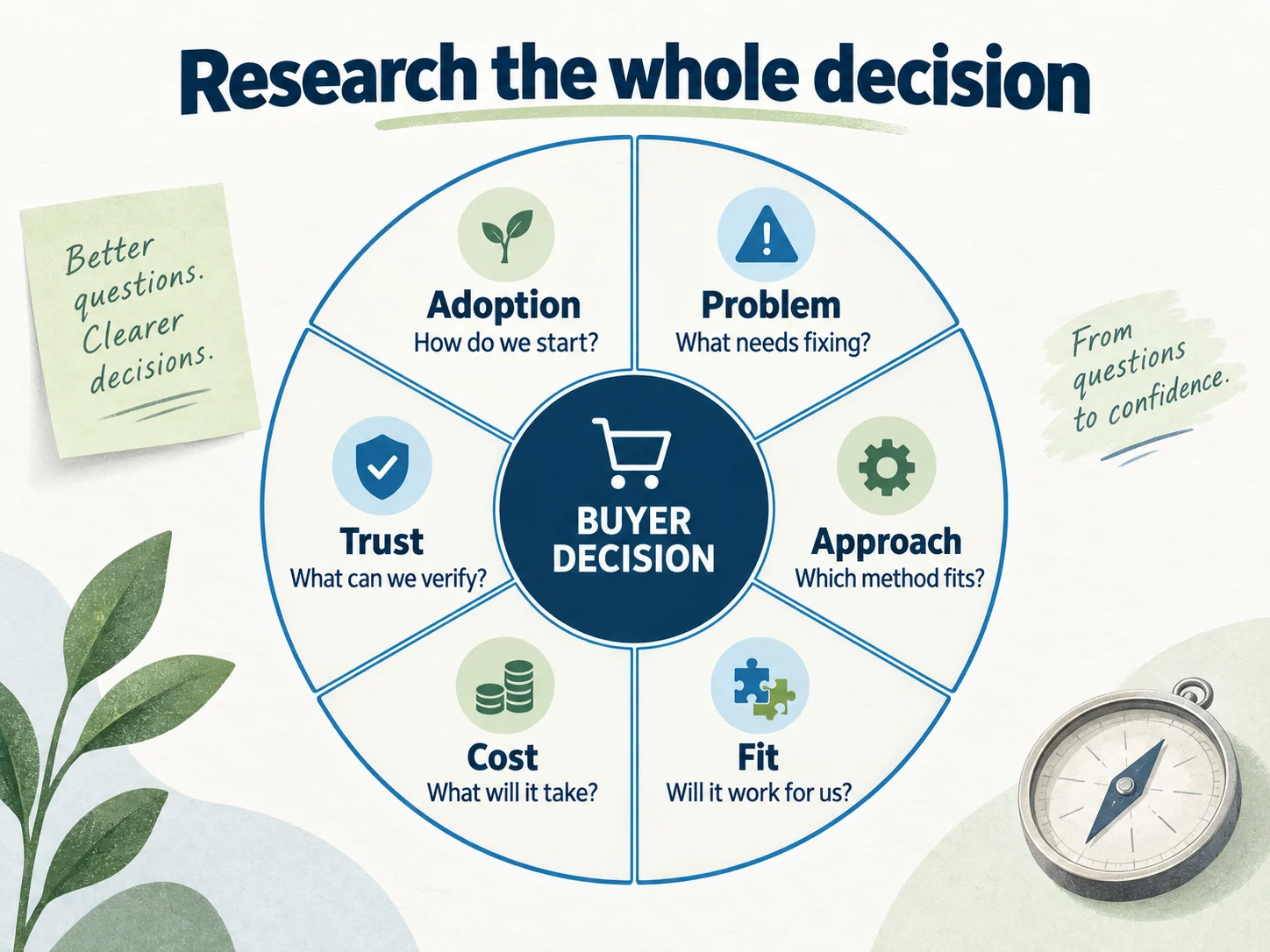
A 30-question starter map
The following is a research template, not a claim that these questions have measured demand. Replace the brackets, discard irrelevant rows, and validate the survivors against real customer evidence.
Understand the problem
- What causes [problem] in [business type]?
- How can I tell whether [symptom] needs a new tool or a process change?
- What happens if we leave [problem] unresolved?
- Which metrics show whether [process] is working?
- What should a small team fix first when [problem] appears?
Evaluate possible approaches
- Should we use software, a service, or an internal process for [job]?
- What are the tradeoffs between [approach A] and [approach B]?
- Can [job] be handled with our existing tools?
- When is [solution category] unnecessary?
- Which requirements should we define before comparing suppliers?
Compare fit and constraints
- Which Content Marketing fits [team size] with [specific constraint]?
- Does [solution] support [required workflow]?
- What does [solution] not support?
- How does [product A] differ from [product B] for [use case]?
- What evidence should we request before choosing a supplier?
Understand price and effort
- What determines the total cost of [solution]?
- Which costs sit outside the advertised price?
- How much internal work does implementation require?
- What changes the timeline for [job]?
- What should a limited pilot include?
Verify risk and trust
- Can we export our data if we leave?
- Who owns the work produced during the engagement?
- What happens when an integration fails?
- How are results checked and reported?
- Which security or operational documents should we review?
Act and adopt
- How do we migrate from [current setup]?
- What should we prepare before onboarding?
- How do we train the people using [solution]?
- What should we measure after the first month?
- When should we expand, adjust, or stop the project?
Cluster by shared answer, not shared vocabulary
Two differently worded questions may need the same answer. Conversely, two questions containing the same keyword may require separate pages.
“Does your plan include contractors?” and “Do freelancers need paid seats?” can usually share a pricing explanation. “How do I revoke a contractor’s access?” needs a workflow, not another pricing paragraph.
Use this merge test: can one page fully answer both questions without changing audience, decision, or context? If yes, consolidate. If the combined page becomes confusing, give each decision a clear home and link between them.
Google’s generative AI optimization guide cautions against creating separate pages for every query variation primarily to influence search or generated answers. A useful research map should reduce duplication, not turn minor wording differences into a publishing quota.

Use query fan-out to design the page, not the page count
Google describes query fan-out as a set of related queries that its model issues to gather more information for a single question. Its own example turns “how to fix a lawn that’s full of weeds” into searches about the best herbicides, weed removal without chemicals, and prevention.
That is a useful research exercise for every priority question. List the three to six sub-questions a thorough answer would need, then check whether your destination page covers each one:
| Priority question | Likely sub-questions | Covered on the page? |
|---|---|---|
| Do occasional contractors need paid seats? | Which roles are free? What counts as occasional? What happens at renewal? How do permissions differ? | Billing roles yes; renewal and permissions missing |
| How do we migrate historical reports? | Which formats import? How long does it take? What breaks? Can we roll back? | Formats and steps yes; failure cases missing |
Sub-questions usually become sections of one strong page, not new pages. Google’s guidance is explicit that producing separate content for each fan-out query mainly to influence rankings or generated answers falls under its scaled content abuse policy.
Add a page and evidence requirement to every question
| Question | Intent | Best destination | Evidence required |
|---|---|---|---|
| Do occasional contractors need paid seats? | Price verification | Pricing FAQ | Current billing policy and a worked example |
| Can the tool replace our spreadsheet? | Approach comparison | Comparison guide | Specific workflow differences and limitations |
| How do we migrate historical reports? | Implementation | Migration guide | Tested steps, supported formats, recovery procedure |
| Which tool fits a two-person agency? | Commercial comparison | Use-case page | Fit criteria and explicit tradeoffs |
This table makes the gap visible. If a question has no reliable source, assign evidence collection before writing. If a strong page already exists, improve its visibility and internal links rather than creating a competitor for it.
Prioritize questions with a transparent rubric
Score each candidate from zero to two for buyer relevance, business fit, evidence readiness, and observed information gap. Add the four values for a rough ordering. A zero in business fit is a reason to exclude the question, even if its overall score looks attractive.
Treat the rubric as editorial judgment. The numbers are not search volumes, demand forecasts, or ranking probabilities. Record why you assigned them so another team member can disagree productively.
Consider a fictional agency with two candidates. A broad “what is marketing?” question has large apparent reach but poor fit with its specific reporting service. A narrow question about reporting for franchise locations has less obvious volume but closely matches customer requests and available expertise. The second can deserve attention first without any claim about guaranteed traffic.
Build a stable measurement sample
Select a manageable subset for repeated observation. Preserve the exact wording, engine, language, and market. Separate brand-inclusive questions from unbranded questions: “Is Acme good for agencies?” tests a different situation from “Which reporting tools suit agencies?”
Do not add your brand to a question merely to improve a visibility percentage. If you change the sample, version it and report the change.
Keep a small holdout set too: relevant questions that you observe but do not directly target during the first cycle. A holdout is imperfect because pages can affect multiple topics, but it can help reveal broad changes that are not specific to your intervention.
SurgeGraph can be evaluated for topic research and content workflows once you have defined the audience and decision. Check whether its suggestions add a distinct need or simply rephrase something already covered.
If you use a managed service, such as the one mentioned at the start of this guide, hand over the same map with its evidence owners and excluded claims. The quality of the brief sets the ceiling on the quality of the work.
AI chat tools can also help you brainstorm variations, but treat their suggestions as hypotheses. A chatbot can propose plausible questions; it cannot tell you which ones your buyers actually ask or how often.
Your final research deliverable
Finish with one question map containing the original wording, normalized question, source, intent, target page, evidence owner, priority, and measurement status. Keep the map small enough that someone can maintain it.
The next task is to turn a selected question into an evidence-led content brief. A research document earns its value when it helps you publish a better answer or decide that no new page is needed. To see which platform reports can show whether the map is working, read our comparison of AEO, GEO, and SEO.
Questions teams commonly ask
Do we still need search volume data?
Yes, as one input. Volume helps you size broad topics and spot seasonal demand. It is weak for narrow, high-intent questions, which often show little or no reported volume yet drive sales conversations. Use volume to rank within a cluster, not to decide whether a buyer’s decision deserves an answer.
How many questions should the first map contain?
Enough to cover each buying stage for one audience, and few enough that one person can maintain it. For many teams that is a few dozen questions, with a measurement sample drawn from them. Expanding the map is easy later; maintaining a bloated one is not.
Should every question get its own FAQ entry?
No. Many questions are better answered inside a pricing page, comparison, or guide where the context lives. Reserve FAQ entries for short, self-contained answers that genuinely stand alone.
Leave a Reply